CineMate Log#
CineMate Log log-compands the linear sensor signal down to a smaller DNG code depth on the way to disk, and writes a DNG LinearizationTable (tag 0xC618) to each frame so any DNG-aware app decodes it back to linear automatically. It shrinks file size — a 16-bit ClearHDR frame drops ≈ 17–37 %, a 12-bit SDR frame ≈ 17 %.
Note that there is no "CineMate Log → Rec.709" LUT. CineMate Log is a storage format and not a viewing gamma like S-Log3 or V-Log. The DNG LinearizationTable linearizes automatically in DNG compatible NLEs (like DaVinci Resolve).
If you are shooting in 16 bit formats, the log storage conversion will be 16 bit → 12 bit. If you are shooting in 12 bit with log storage active, files will be stored in 10 bit format. If you shoot in 10 bit formats, log is not used. You can also set the target bit depth explicitly, and for example shoot in 16 bit → 10 bit log storage conversion.
Supported sensors#
IMX585 and IMX283 only. Support is decided by the sensor's black level, not chosen: the two shipped log DNG specs are built for BlackLevel 3200, which is what those two report and no other sensor does.
| Sensor | Live mode | Target |
|---|---|---|
| IMX585 | ClearHDR 16-bit | 12 (default) or 10 |
| IMX585 | 12-bit SDR | 10 only |
| IMX283 | 12-bit modes | 10 only |
| IMX283 | 10-bit modes | not supported |
| everything else | any | not supported |
IMX477 is not a hardware limitation
Its 12-bit modes would compand the same way. What is missing is sensor-aware spec selection on the cinepi-raw side, which has not been built yet. Nothing about the sensor prevents it.
Full breakdown per mode: Camera sensors › CineMate Log support.
On the shooting screen#
The quickest way. In the Web GUI button row, press LOG.
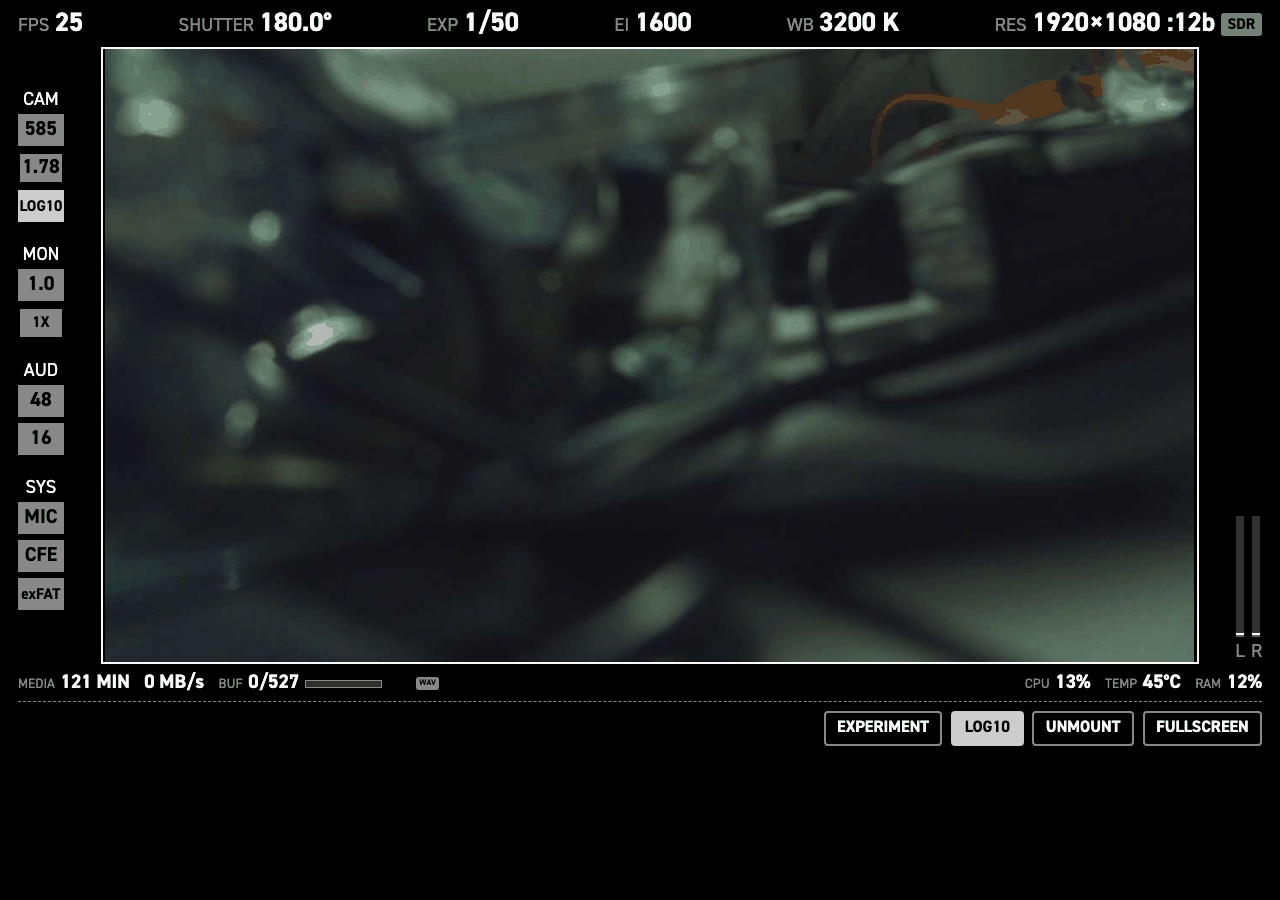
It toggles log on and off at the live mode's default target, and restarts the camera to apply it. Press it again to go back to linear.
In the settings editor#
To make it the default for every boot, set it per camera under Cameras → Camera 0.
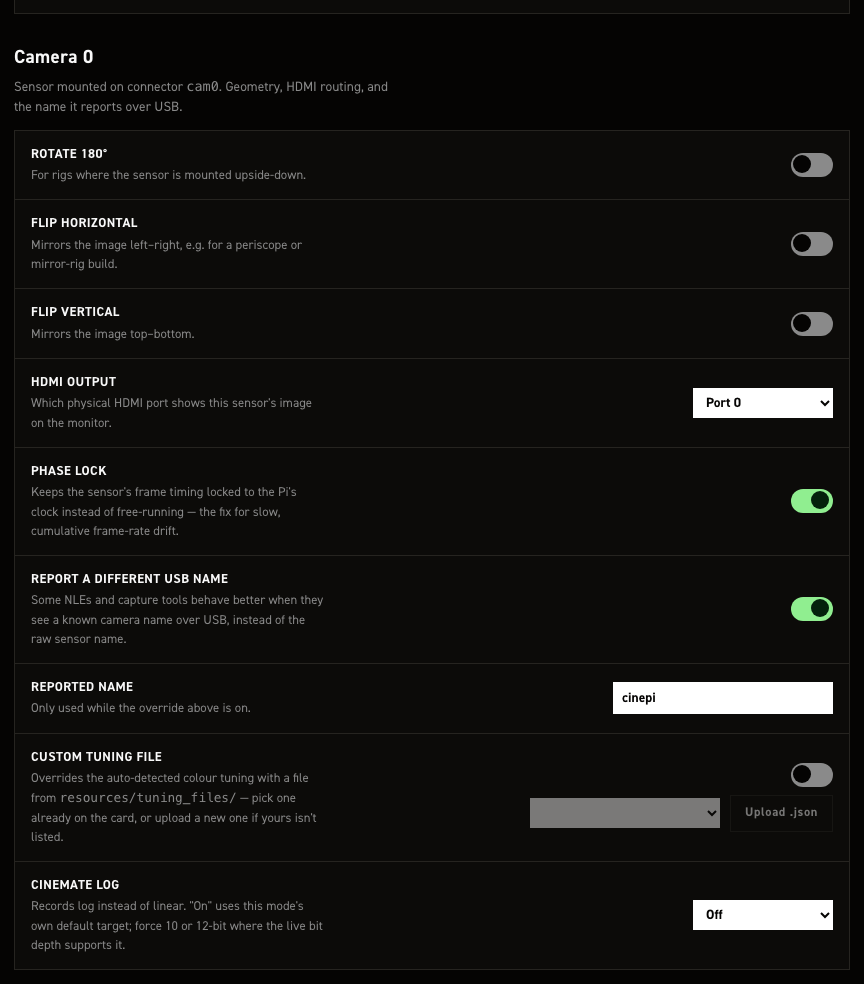
The CineMate Log dropdown:
| Option | Records |
|---|---|
| Off | Linear. The default. |
| On (mode default) | Log at the live mode's own target: 12 from a 16-bit source, 10 from 12-bit. |
| Force 10‑bit | Log at target 10, where the live mode supports it. |
| Force 12‑bit | Log at target 12, where the live mode supports it. |
Forcing a target only matters on a 16-bit ClearHDR source, where both are valid. 12 is the default and 10 trades a little more compression for a smaller file. A 12-bit source has only one valid target, 10, so forcing 12 there records plain linear DNGs instead. That is not an error, and the badge tells you which way it went.
Save changes writes the file and restarts CineMate.
From the terminal (CineMate CLI)#
set log        # toggle on/off, using the live mode's default target
set log 10     # force target 10 (e.g. 16to10 instead of ClearHDR's 16to12 default)
set log 12     # force target 12
set log off    # force off